Geometry & Lifetime Module
This module is likely the least flashy but most important because it controls values that affect how the mesh topology behaves and how the actual physical mesh is set up; contrary to all the other modules that only do visual changes.
Controls;
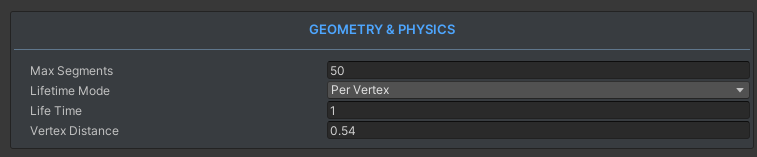
TLDR
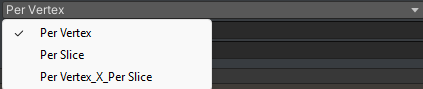
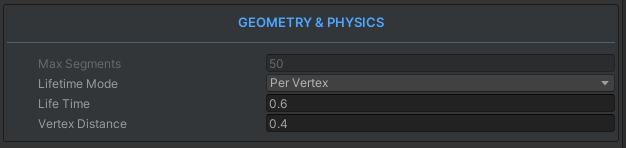
Max Segmentslimit the segment amount and kill old segments if you would've gone out of the array to draw new ones (Never change this value during runtime!)Lifetimeis a float timer that kills segments at a set time after their birth.(LifetimeModedecides how the Shader interacts with this value.)LifetimeMode(Visual only, doesn't affect the physical mesh);Per Vertex; every segment has their own lifetime. Smooth dissolve over the trailPer Slice; the whole slice has shared lifetime starting from BeginEmission() call. Dissolves alltogetherPer Vertex X Per Slice; literally multiply the prior 2 values. Gives a feeling both different and similar to both of them.
Vertex Distance; We drop vertices in uniform distances depending on how much the tip of the sword has moved. This tells us how much distance is enough distance to drop another vertex pair. (Main way to optimize)
Definitely read below though! Useful tips + visual explanations waiting!
Max Segments
- Limits the amount of segments this trail can have at the same time
- If we have max segments set to 20 and we did draw 20 segments already, then the youngest segment we drew dies and a new one is created at the tip.
Example;
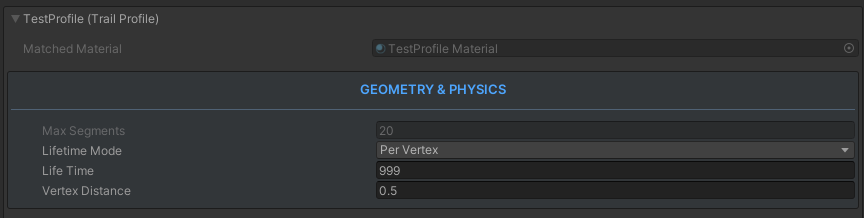
Here you see a trail that has;
- 20 Max Segment Limit
- Already has 20 Active Segments
- Even though
Lifetimeis 999 seconds, no segment can live for that long because the oldest one is simply killed by the max segment limit whenever we need a new segment but don't have the segment budget for it.
Danger
This is the ONLY value that is ILLEGAL TO CHANGE AT RUNTIME throughout the whole TrailProfile.
(You can switch TrailProfiles during runtime but they have to have the same Max Segments value.)
Lifetime
Lifetime decides when a segment dies naturally. It's a clock that starts whenever a segment is born.
How this value is used depends on the Lifetime Mode enum.
Lifetime Mode
Per Vertex
Per Vertex simply means every segment has it's own lifetime.
Example
If you slash the air for 3 seconds straight, and have the Lifetime value set to 1s; the first segment will die at 1 second mark from the start of the slash, and the last one will die at the 4 second mark.(Because at second 3 we emitted a segment, it lives for 1 second and dies at the 4th second.)
Useful for later;
TrailMeshGenerator also sends this data as VertexColors.Red to the shader for use. (Mostly for dissolve, we'll see how later)
See the Vertex Colors below, the segments that are running out of lifetime return vertexcolor.r = 0, while the younger ones
return 1.
Per Slice
Per Slice means that the whole slice will age together.
Segments do not have their own lifetimes. (In the geometry, they actually still do but the shader behaves differently)
This is a timer that starts when you call BeginEmission() instead of when a segment is born.
Warning
The topology and the literal mesh segments actually dont change! Only the dissolve logic within the shader changes. So these types of trails need more lifetime than you'd initially assume.
Again useful for later;
This also sends in some info in the form of VertexColors.Green channel this time.
See example below;
Compare with the red channel above, just for later reference.
Multi-Slice Trick
You can actually use this in a multi-slash set-up where a single animation has 2 quick slashes, two slashes can still have seperate lifetime even if they aren't per vertex(They are the same "mesh" but they have different positions/uv's). System differentiates slices when you call EndEmission() and call BeginEmission() again.
Every BeginEmission() is a new "Slice".
Per Vertex X Per Slice
Literally just the two prior values multiplied. It gives an effect where the dissolve gets affected by the individual segment lifetimes a little bit but also the whole trail dissolves at the same time as well.
Sounds meaningless but actually VERY useful once you start Art Directing your own trails.
Vertex Distance
-
Lower number = Smoother edges but more expensive (More vertices/segments/uv calculations/loops)
-
Higher number = Edges get jagged after a point but cheaper (Less vertices/segments/uv calculations/loops)
-
This is the main way to optimize your trails.
-
We drop vertices in uniform distances depending on how much the tip of the sword has moved.
-
This tells us how much distance is enough distance to drop another vertex pair.
-
If the chosen distance is 1f and the tip moves by 6f within one frame; we still drop 6 vertex pairs; ALWAYS UNIFORM.
High distance Example;
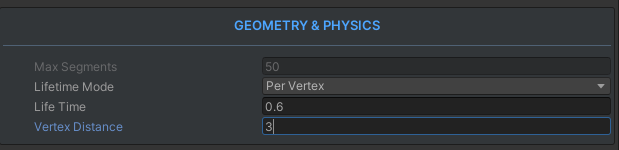
Good news!
The motion still looks smooth because the last vertex pair always follows the sword ^^
Low distance Example;
DANGER
This value can't be set lower than 0.1f because;
Mathematically as Vertex Distance approaches 0, Vertex count/density literally approaches +infinity
Even though the MaxSegments would protect you from dropping infinite vertices, it doesn't protect you from dropping limited amount of vertices with infinite speed repeatedly. At that point I protect you by setting the VertexDistance to 0.1f even if you set it lower. :D